
Need to change your myBama password? Follow our guides below.
If you know your current myBama password, follow these steps:
1. Visit myBama.ua.edu, type in your myBama email, and click “Next.”

2. Click the link “Change Your Password”

3. Enter your username and current password.
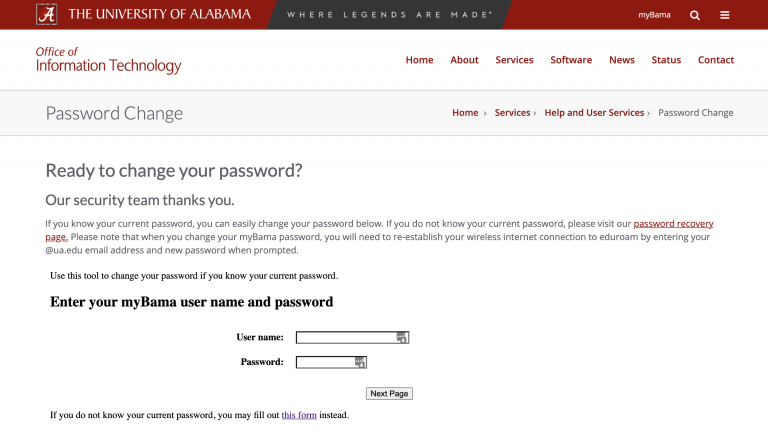
4. Enter your new password, then confirm your new password. Note – we take cybersecurity seriously at UA, so make sure your new password meets our security requirements.
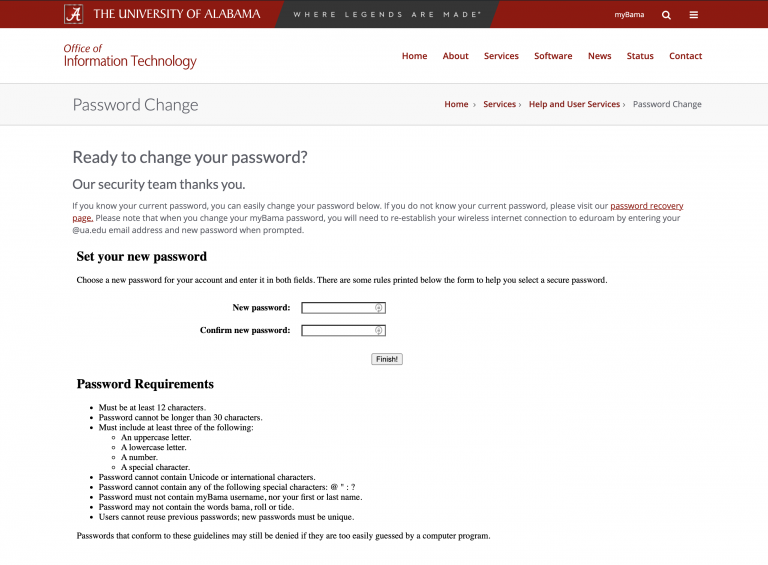
5. Once your password has changed, wait a few moments for the password to sync. Then, log into your account with your new password.
If you don’t know your current myBama password, follow these steps:
1. Visit myBama.ua.edu, type in your myBama email address, and click “Next.”
2. Click the link “Forgot password?”
3. Click the link “New myBama users – create password”
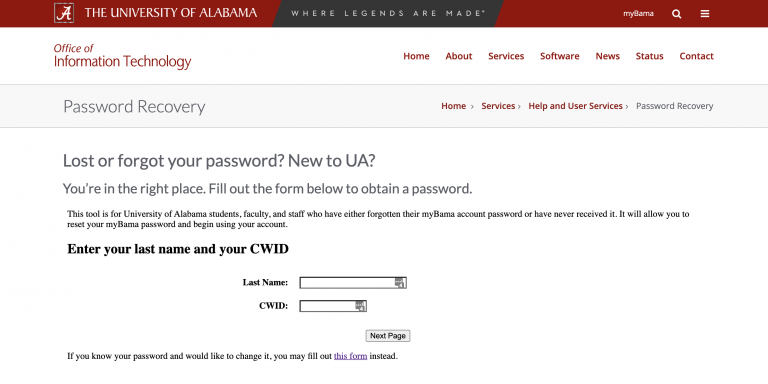
4. Enter your last name and you campus-wide identification number.
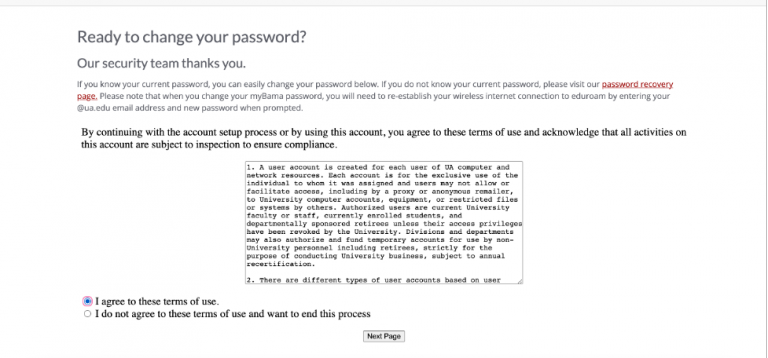
5. Agree to The University of Alabama’s terms of use.
6. Confirm your identity using your Duo-registered device, or use a backup phone number/email account.
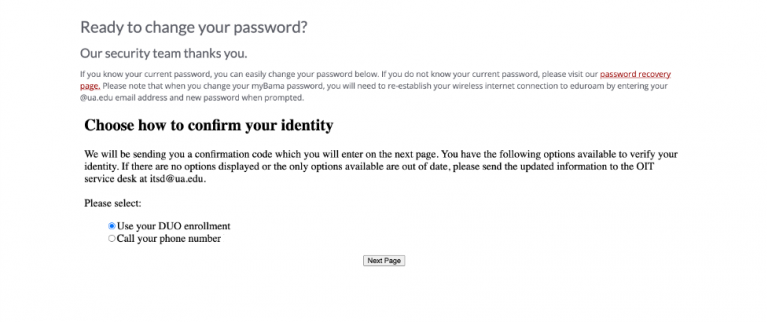
7. After confirming your identity, enter and confirm your new password.
8. Once your password has changed, wait a few moments for the password to sync. Then, log into your account with your new password.