
As part of the University of Alabama’s commitment to proper file management, data security, and compliance with the UA Records Retention Program, all employee H: drives will be permanently removed on February 27, 2026. This decision reinforces our strategic goals for operational efficiency and cost containment, especially as storage costs continue to increase.
PLEASE NOTE: Files currently stored on employee H: drives will NOT be automatically migrated to OneDrive by OIT. If you have files you must retain after February 27, 2026, then you must manually copy them to OneDrive in order to ensure continued access.
This move ensures that institutional data is stored securely, backed up reliably, and accessible in alignment with UA’s data governance and retention standards. Personal files, including audio (.mp3, .m4a, .wav), pictures, and videos, should not be migrated. This is an ideal opportunity to remove non-business content from UA-managed storage systems. After the deadline, H: drives will be decommissioned and no longer accessible. Thank you for your partnership in this important effort to modernize our systems, reduce risk, and steward University resources.
How Do I Find My H: Drive?
1.) In Search type in “File Explorer”
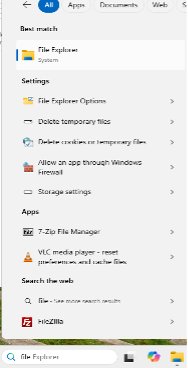
2.) Click File Explorer at the top to open
3.) On the left side, look for “This PC”
4.) Click on it to show all drives under “This PC”, you want to locate the drive with your mybama username in the left column or in the right pane after clicking “This PC”
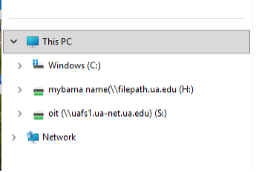
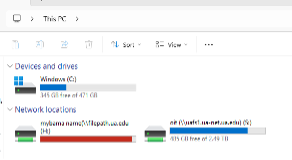
5.) Once you locate, double click to open; if you have files saved there, it will show files and folders
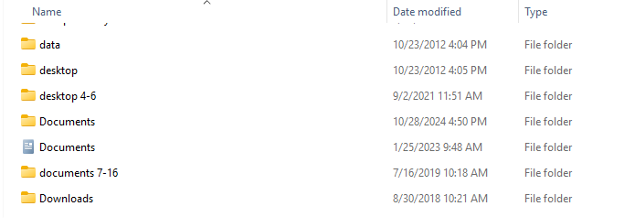
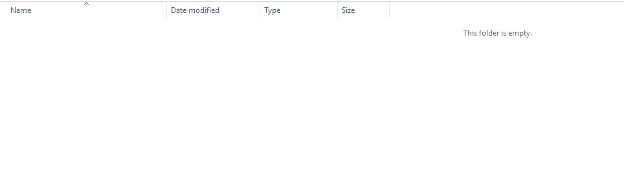
6.) If you have no files or folders saved there, it will display "This folder is empty."
About OneDrive
OneDrive offers secure cloud storage that allows students, faculty and staff to seamlessly collaborate and access files from anywhere with an internet connection. Along with all O365 apps, OneDrive offers mobile apps to view, edit, create and share content on the go. OneDrive is ideal for sharing content and files with others at UA.
OneDrive can be used to store sensitive data, including HIPAA data as the University has a Health Insurance Portability and Accountability Act Business Associate Agreement (HIPAA BAA) with Microsoft to allow use for Protected Health Information.
Benefits of using OneDrive with Microsoft 365:
- Automatically save a backup copy of your files
- Access files from anywhere
- Easily switch between different devices
- Share files with anyone, anywhere
- 250GB of storage space
- 100GB Maximum single file size
More information on OneDrive: https://oit.ua.edu/software/onedrive/
If you have any questions or concerns, please reach out to the IT Service Desk at ITSD@ua.edu or 205-348-5555.